
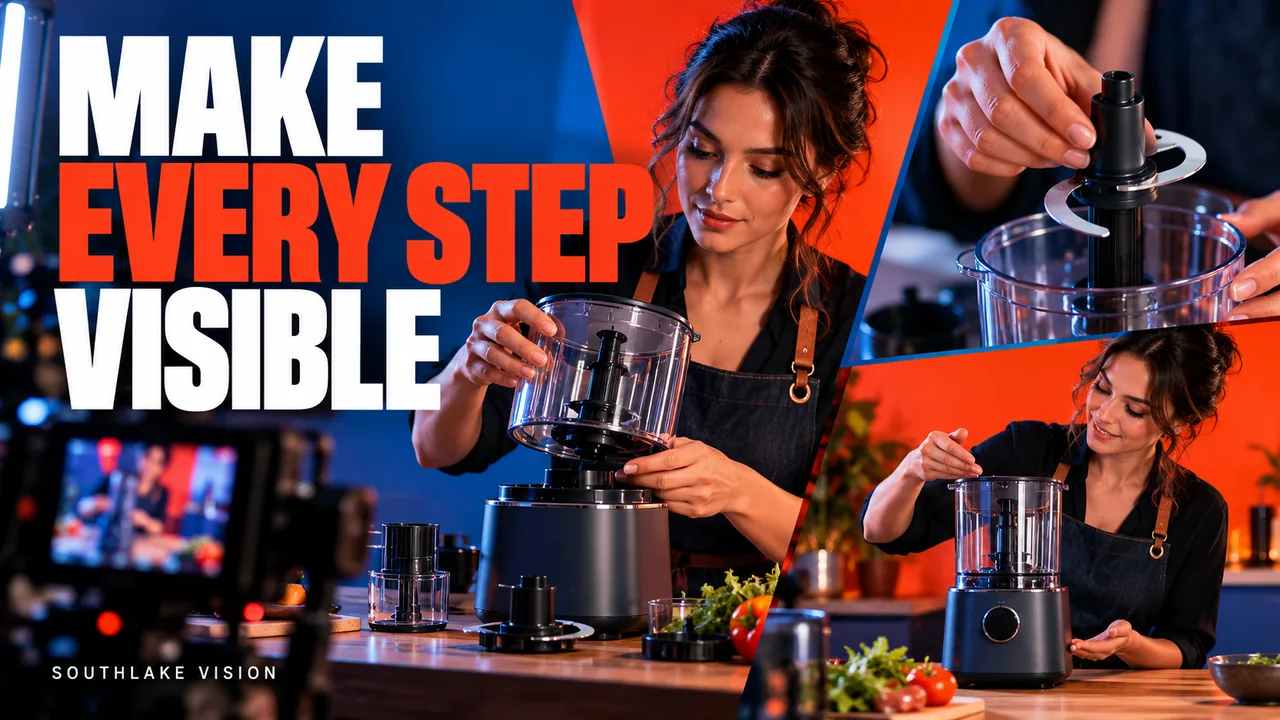
Original editorial cover illustration — Southlake Vision. Product imagery is illustrative.
Organize the film around customer questions
Product demonstration video production should make an unfamiliar task feel understandable. Before choosing music or visual transitions, list the questions a buyer would ask while handling the product for the first time. What arrives in the box? Which part connects first? Where does the user place their hand? What changes when the control is pressed? The sequence should answer these questions in a sensible order.
Do not confuse an attractive montage with an explanation. A montage can create interest, but disconnected closeups may hide the relationship between a component and the complete product. For an instructional brief, begin with orientation, then show the action, then show the result. Keep the product visible long enough for the viewer to connect those three stages.
Create a verified action sheet
Ask the brand or manufacturer to supply the approved operating method. Turn it into an action sheet with the starting state, performer movement, relevant component, expected result, and any preparation needed for the next take. This is particularly useful when a filmed action changes the product, such as applying an adhesive, dispensing a liquid, or cutting a sample material.
Identify actions that cannot simply be reversed between takes. Prepare enough consumables and clean duplicates where the agreed plan requires them. Never improvise a risky action to improve the image. If a safe demonstration needs specialist supervision, discuss that requirement before booking. The film should show the intended use supported by the product documentation, without creating new performance or safety claims.
Choose angles that explain the mechanism
A clear demonstration usually needs both context and detail. A three quarter view can show the relationship between a user and an appliance, while an overhead view can explain the order of components laid on a table. A closeup is useful only if the viewer still understands where that detail belongs. Plan the transition between these views deliberately.
For a hypothetical storage system, a practical shot list could include all supplied parts, the attachment point, the actual connecting movement, a secure finished position, and normal removal. This example would need adjustment to the real product. Ask the team behind Southlake Vision video production to mark which angles are essential evidence and which are optional beauty coverage, so editing priorities remain clear.
Control hands, timing, and continuity
Hands often carry the explanation. Select a performer who can repeat the operation naturally and hold a useful pause without looking hesitant. Check grooming, sleeves, jewelry, and dominant hand against the framing. A sleeve that catches a control or a ring reflected in polished metal can become a distraction in an otherwise simple sequence.
Maintain continuity between shots: the same fill level, accessory arrangement, control position, and degree of cleanliness should carry through the edit. Record a reference image before resetting the set. If the sequence has been shortened, make sure the edit does not imply that a waiting period or required preparation can be skipped. Timing should feel concise while preserving an honest understanding of the process.
Keep labels and physical results readable
The viewer must be able to see what changed. Use a background that separates moving parts, avoid busy patterns behind transparent components, and check that a hand does not cover the key control. Lighting that flatters the complete product may need adjustment for the operational closeup, particularly around dark switches or reflective labels.
For pouring, cleaning, or measuring, agree the intended result and how it will be framed. Actual product behavior should determine the take, rather than an edited substitute that changes its apparent capability. Review the footage at a realistic screen size. A control can look obvious on a production monitor and become unreadable in the final mobile crop, so test the proposed delivery frame early.
Use text to support the action
Instructional text works best when it names or clarifies an action already visible. Keep each line specific: identify the component or setting rather than filling the screen with broad benefit claims. Confirm units, spelling, product terminology, and sequence numbers before the editor builds the graphics. A consistent vocabulary reduces confusion between the film and the printed instructions.
Avoid asking viewers to read a paragraph while watching a delicate operation. Give the action and the text enough time, or separate them into two shots. If narration is required, approve the script before recording and decide whether subtitles repeat it exactly. Language adaptations may need different timing, so request them as planned deliverables instead of assuming they fit every existing text animation.
Review for practical accuracy before visual polish
Conduct the first review with someone who knows the product and someone who does not. The experienced reviewer checks correctness; the unfamiliar reviewer reveals unexplained steps. Ask both to describe the process after watching without coaching. If their understanding differs from the intended operation, identify the missing context before requesting cosmetic changes to the edit.
Use timecoded comments and distinguish a production error from a newly requested step. Acceptance criteria can include a complete approved sequence, visible controls, correct accessories, consistent sample identity, legible labels, and no misleading shortcuts. The production process should establish who can approve operational accuracy and when, because an uncertain final approval can delay both editing and any necessary additional filming.
Connect the demonstration to the wider product library
A demonstration becomes more useful when it shares terminology and visual identity with the product photographs and listing graphics. Supply the same accessory list and approved feature names to every creative team. Still images can show the final assembled state clearly, while motion explains how the customer gets there. These roles complement each other.
Visit the Southlake Vision homepage to consider photography, video, and listing design together, and submit the actual operating sequence through the contact page. Include manuals, sample versions, consumable requirements, expected delivery formats, and any usage restrictions. A strong demonstration brief is a practical document: it gives the production team enough verified information to explain the product accurately before making the presentation engaging.
Frequently asked questions
Can a demonstration include assembly and cleaning?
Yes, if both are planned and supported by the product instructions. Define the exact steps, consumables, reset time, and whether separate sequences are needed. Cleaning may introduce moisture or residue that affects later beauty shots, so the filming order should protect the appearance of the sample.
Do we need a speaking presenter?
Not always. Some mechanisms are clearer with hands, close views, and concise text. A speaking presenter can add context or reassurance when the message benefits from an explanation. Choose the format based on the product and audience, and confirm performer availability and commercial usage in advance.
How should we handle a prototype?
State that it is a prototype and identify any differences from the saleable version. Agree which functions can truthfully be shown and whether final production samples will require new filming. Do not use retouching or editing to imply unverified performance that the prototype cannot demonstrate.