
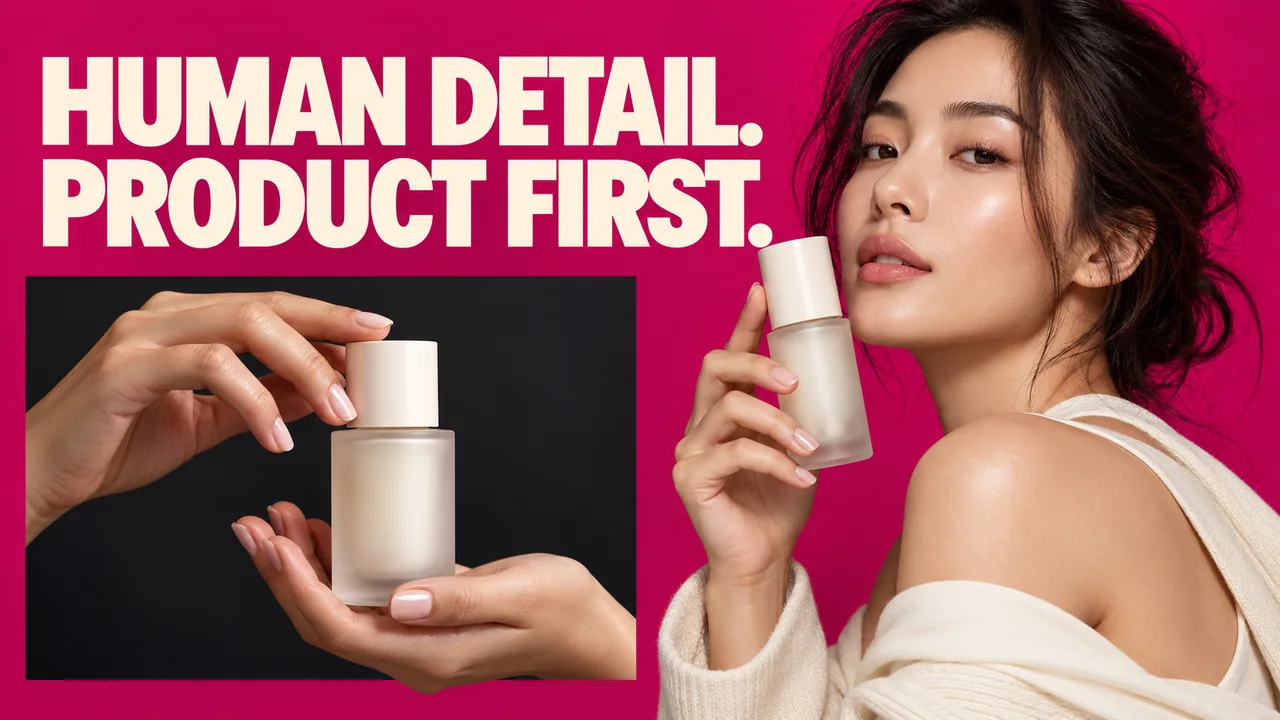
Original editorial cover illustration — Southlake Vision. Product imagery is illustrative.
Turn the desired impression into an action card
Model product photography in China for Shopify needs direction that can be performed, repeated and checked. “Natural and premium” describes an impression, but it does not tell a model where to place a hand or which feature must remain visible. Write an action card for each scene containing the starting position, movement, endpoint, visible product detail and intended storefront placement.
For a hypothetical skincare bottle, one card could read: hold the closed bottle at chest height, rotate the label towards the camera, rest the fingers below the product name, then pause. This instruction gives the photographer a repeatable moment and the reviewer an observable acceptance point. The scene is still expressive, but the product information no longer depends on the model improvising a suitable pose. Add a reset instruction: return the bottle to its starting orientation, check the cap and restore the fingers below the label. This gives successive takes a comparable starting point. It also helps when photography and a short motion version are captured during the same session, because the intended end frame is already defined.
Cast for the action rather than the portrait alone
A model selection should be tested against what the person actually needs to do. Close hand work, a seated interaction, walking with a product and applying a wearable item require different movement control. Ask for relevant visual references and explain the task before availability is confirmed. A strong headshot does not demonstrate whether a repeated grip looks comfortable or conceals the mechanism.
Use the model selection page to discuss a shortlist, then compare it with the model photography portfolio for the type of interaction you need. These pages serve different purposes: choosing a person and reviewing work. Confirm wardrobe, grooming and commercial usage with the booking; avoid assuming that the choice of model alone resolves all those production decisions.
Map the fingers against the product’s information zones
Make a simple product diagram showing areas that must remain readable: label, closure, connector, seam or scale marker. During rehearsal, compare natural finger placement with those zones. If a comfortable grip covers the only visible feature, choose a different camera angle or a second detail image rather than twisting the hand into an implausible position.
Check the thumb as carefully as the fingers. It can hide a control on the rear side or create a strong reflected shape on glass. Sleeves, nails and jewellery also change the visible boundary of a small product. Test them together with the actual sample. A useful close hand frame feels physically credible while leaving enough structure visible for the viewer to understand what is being held and how.
Rehearse the product states that the gallery needs
Identify the states the storefront must show: closed, open, attached, worn, resting or being adjusted. Write a clear transition between them. For a hypothetical wrist accessory, the sequence might begin on a table, move through fastening, and end with a relaxed arm position. Each state answers a different question, and not every moment requires a final photograph.
Record the correct orientation before repeating the action. A clasp can be fastened convincingly but backwards; a bottle can be held beautifully with the wrong side facing the camera. Follow approved product instructions and allow the model to flag uncomfortable movements. The lifestyle photography service can be scoped around this action coverage, with clean product details supplying information that a human interaction cannot keep unobstructed.
Show fit without manipulating the scale relationship
A person can make product size and fit easier to understand, but camera distance and viewpoint can distort the relationship. Position the relevant body area and product so neither is exaggerated unnecessarily by perspective. For wearable products, record the sample size and the fit conditions relevant to the brief. Do not use retouching to conceal a mismatch that changes the apparent offer.
Choose frames that preserve useful landmarks. A wrist image may need enough forearm to communicate placement, while a bag image may need a broader body view to show proportion. Pair those frames with accurate product-only evidence where necessary. Keep verified dimensions in approved copy or graphics rather than asking a lifestyle photograph to establish an exact measurement it cannot reliably provide on its own.
Separate mobile detail frames from campaign portraits
A wide campaign portrait and a product-page interaction have different priorities. The portrait can establish personality and atmosphere; the detail frame must make the item readable at its intended display size. Plan both deliberately where they are needed. Cropping a campaign image tightly after shooting may reveal that the label is out of view or the fingers cover a crucial feature.
Inspect the intended Shopify theme using representative desktop and mobile layouts. Record where the model and product will sit inside collection cards, galleries or editorial banners. Shoot alternate framing when a crop would lose the essential action. For product photography, composition planning protects the merchandise; for model-led work, it must also preserve a believable gesture and avoid awkwardly severing important body relationships.
Keep gesture and product continuity through the review
Create a continuity reference after an action is approved. Include hand position, product state, wardrobe, orientation and the relevant set marks. If the lighting changes or a video take is added, use that record to restore the intended relationship. Otherwise, selected images may show a coherent person but a product that changes position or configuration unpredictably.
Review contact sheets by action rather than choosing expressions first. Check feature visibility, grip plausibility, actual fit and crop resilience before comparing subtle facial differences. Then inspect retouching boundaries: product proportions and construction should remain accurate, while skin and fabric retain a credible appearance. Name comments with action and image identifiers so a request to improve one gesture does not inadvertently reopen every approved frame in the session.
Send an action-based brief for an executable proposal
A useful brief contains the product instructions, sample sizes, intended body interactions, storefront placements and a small set of annotated references. Include action cards and identify must-have details that cannot be obscured. State the desired usage channels and adaptations before the model booking is confirmed, especially when paid campaigns or future edits are part of the plan.
Visit Southlake Vision to consider connected photography, design and video support, then send your model photography brief with the product photographs and required actions. We can discuss casting against those movements, preparation for close details and the review evidence needed for your storefront. The aim is a library where human presence makes the product easier to understand, with every selected action tied to a useful commercial purpose.
Frequently asked questions
Can I direct the model through a few example poses?
References help, but explain what each pose needs to show. Add product orientation, hand placement and the detail that must remain visible. A copied pose may work poorly with a different object, body relationship or storefront crop, so rehearse it with the actual sample.
Do hands-only images need separate planning?
Yes. Fingers, sleeves, nails and reflections can dominate a close product frame. Identify the information zones, rehearse a comfortable grip and choose a camera angle that preserves the relevant detail. Hands-only does not mean the scene can be photographed without direction or preparation.
Should a model image be the collection-card image?
Test it in the actual theme alongside other products. A model interaction can be effective when the product remains recognisable, but some cards need a cleaner view. Keep campaign portraits, product inspection frames and collection thumbnails distinct in the placement plan.