
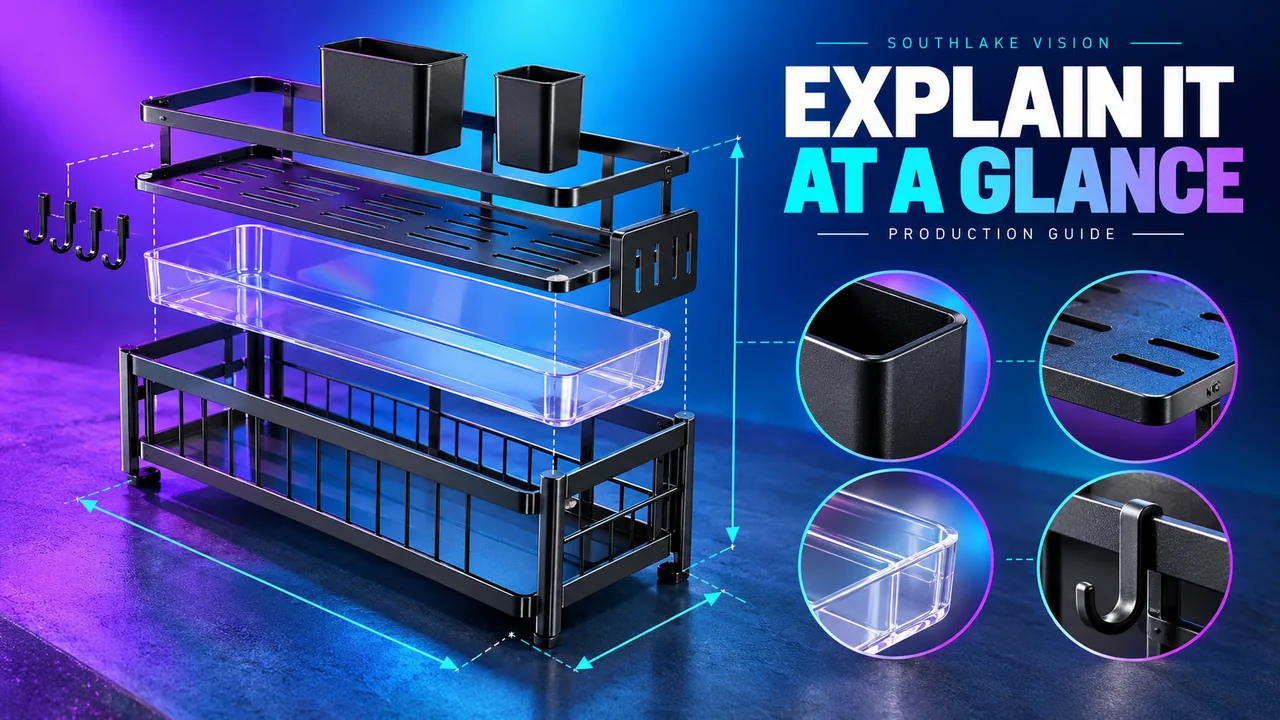
Original editorial cover illustration — Southlake Vision. Product imagery is illustrative.
Define what the infographic must explain
Amazon product infographic design is most useful when ordinary photography leaves a specific relationship unclear. Dimensions, assembly, component differences and package contents can benefit from concise annotation. Start by writing the information problem in one sentence. If the task is simply to make a product look attractive, a strong photograph may work better than an elaborate diagram.
Decide whether the buyer needs to understand size, position, sequence or comparison. Each requires a different visual structure. A dimension diagram should prioritise measurement clarity; a contents layout should prioritise identification and count. Southlake Vision can combine photography and design, but the product owner still needs to confirm the facts. Treat the infographic as a carefully edited explanation rather than a place to display every available specification.
Create an approved measurement record
Measurements should come from a documented source that matches the current product version. Record the unit, measurement method and whether handles, feet, lids or extended components are included. A nominal manufacturer dimension may differ from the relationship shown in a photograph. Resolve this before drawing arrows, especially when fit determines whether the product is suitable.
For a hypothetical drawer organiser, distinguish external dimensions from usable internal space. If an adjustable item changes width, confirm the relevant positions instead of implying one measurement covers every state. Place an identifier beside the sample during internal checking and preserve the record with the brief. The final design should communicate meaningful dimensions, not create a false appearance of precision by adding many labels to an uncertain source.
Choose camera angles that support the data
Perspective can undermine an otherwise accurate dimension graphic. A strongly angled photograph may make one edge appear shorter, while the arrow beside it refers to the full physical length. Choose a straightforward view when explaining exact relationships, and reserve dramatic angles for other purposes. Sometimes separate top and side views communicate more effectively than a crowded perspective image.
Brief the photographer with a rough diagram showing where arrows and labels will sit. This helps preserve clean edges and uncluttered space. Through the photography service, ask for the views necessary to explain the actual geometry. Do not distort the object in postproduction merely to make a label arrangement fit. If the product includes soft or flexible parts, explain the measurement state in the supporting copy.
Make component relationships unambiguous
An exploded arrangement can clarify how parts connect, but only when the visual relationship is accurate. Number components consistently and preserve their relative order. Avoid floating decorative elements that look like included accessories. For a bundle, a simple laid out contents photograph may be clearer than an elaborate pseudo technical illustration.
Create a component register containing the part name, count, colour and whether it is included or optional. Then compare that register with the physical photograph and final annotation. A hypothetical wall organiser might include brackets and screws that are easy to overlook but important to installation. If a component differs by variant, prepare a separate approved record. An infographic should reduce uncertainty about the purchase configuration rather than introduce an apparently complete but inaccurate kit.
Build comparisons on a consistent basis
A comparison graphic needs a fair and verifiable comparison basis. When comparing your own variants, use the same measurement definitions and viewing conventions for each. Align product sizes consistently where relative scale matters, or clearly identify when images are illustrative. Do not make one option look smaller or less complete through selective cropping.
Avoid unsupported competitor claims and vague superiority labels. A table comparing verified capacities, included components or intended applications may provide more useful information. Confirm current Seller Central requirements for comparisons and promotional content before finalising the approach. The Amazon design team can prepare the layout, while the seller supplies approved facts and confirms suitability. Document the underlying evidence so the comparison can be updated when specifications change.
Use restrained visual grammar
Give arrows, lines, icons and callout circles consistent meanings. If every shape is decorative, readers cannot distinguish a measurement from a feature highlight. Keep line weights legible and avoid crossing arrows through important details. Use colour to group related information, with enough contrast that the explanation remains understandable at small sizes.
Do not rely on colour alone to identify parts or steps. Pair it with labels or clear placement. Review technical symbols carefully: a generic check mark can imply a broader promise than the text supports, while a shield icon may suggest certification without evidence. The safest visual grammar is usually simple and product specific. It lets the actual photograph remain the main reference while the annotations clarify one important relationship at a time.
Review comprehension before polishing decoration
Run an explanation test with someone who did not write the brief. Ask them to identify the overall size, included components or difference between variants without verbal help. Their confusion reveals where labels, camera angles or hierarchy need attention. A design can look polished while failing this basic task, so conduct the test before investing in final decorative details.
Review reduced versions as well as full size artwork. Check that units remain readable, numbers are not mistaken for step labels and arrows connect to the intended points. Compare every figure with the approved measurement record. For a relevant discussion of layered product explanation, the cutting board project page can support planning, while your own product facts determine the actual diagram and content.
Keep an update trail for every factual element
Store the infographic source file, approved fact sheet and review comments together. Record the product version and approval date. When a component supplier changes a dimension, this evidence helps determine whether the design needs a minor text adjustment, a new photograph or a complete replacement. Without that record, teams may reuse obsolete annotations because the artwork still looks current.
Agree on the review responsibilities through the production process. The seller verifies facts and platform suitability; the production team checks visual execution against the approved brief. Final exports should be checked again for clipped labels and unintended compression. An effective infographic remains useful because its visual simplicity rests on careful preparation, not because the designer found a way to fit the largest amount of data into one frame.
Frequently asked questions
Should every product have a dimension infographic?
Include one when size or fit meaningfully affects the buying decision. A dimension frame may be less useful for a familiar consumable than for furniture accessories or storage products. Prioritise information that answers a real purchase question.
Can an exploded image be made from one photograph?
Sometimes, but hidden surfaces and component connections may require additional photography or carefully verified artwork. Discuss the intended arrangement before shooting and avoid inventing unseen construction details simply to complete a visual effect.
Which units should the design use?
Use units appropriate to the target marketplace and confirm any conversions against an approved record. If two systems are shown, maintain consistent rounding and check the final numbers. Do not rely on a designer to infer dimensions from the photograph.