
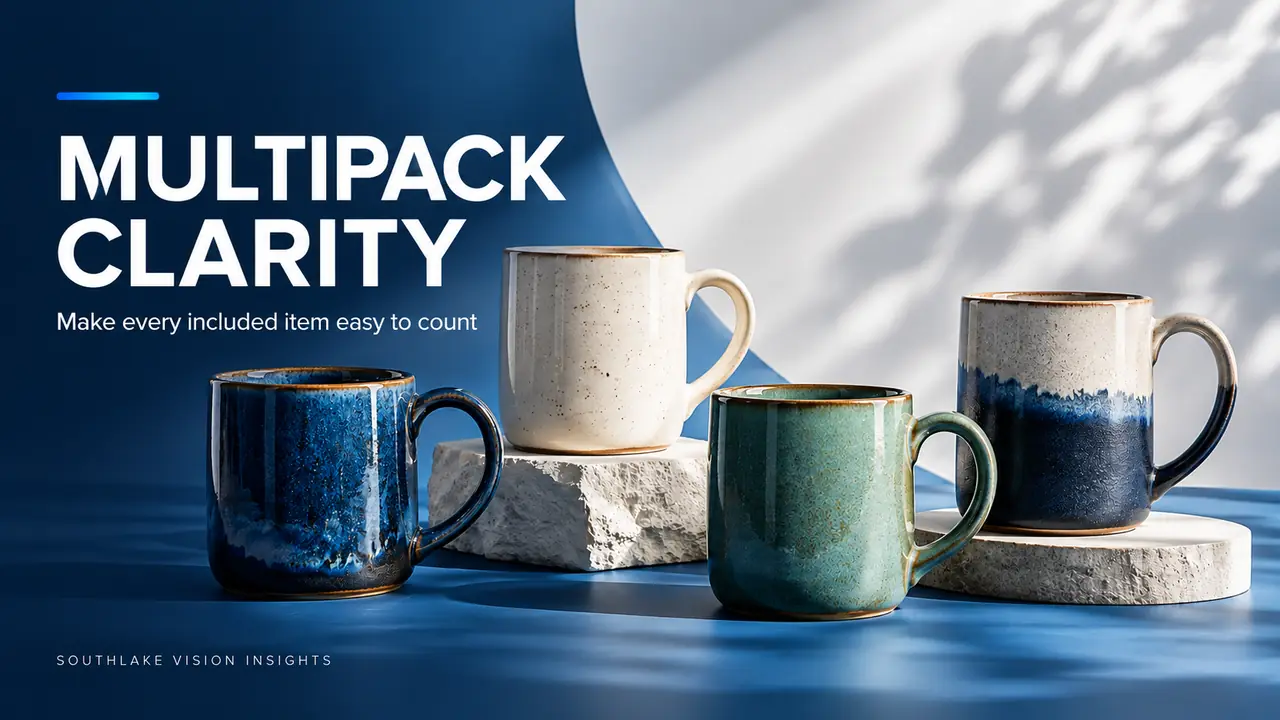
AI-generated editorial illustration. Not a Southlake Vision client project.
Make the count the first composition problem
For an Amazon main image of a multipack, a pleasing arrangement is useful only if the included quantity remains understandable. Overlap, reflections and stacked pieces can make a set look larger or smaller than it is. Begin with an exact contents list, then ask whether the photograph lets a shopper recognise the actual offer without counting uncertain shapes.
A hypothetical four mug set has four sellable units, but matching packaging, a reflected handle and a partially hidden mug can complicate that simple fact. At Southlake Vision, the production brief should identify each included item and the relationship between the photographed set and the SKU being sold.
Verify what constitutes one complete set
Ask the brand to confirm whether the pack includes identical items, different sizes, colour variants or accessories. Record packaging that is included but not itself the main product. If a bundle changes by market or seller offer, treat those as separate content requirements rather than assuming one arrangement fits them all.
Keep a physical inventory beside the set before capture. A ceramic dinnerware collection might contain plates, bowls and cups with similar finishes but different counts. The ceramic tableware portfolio can support a discussion of grouping and material, while the approved packing list determines which pieces belong in your own image.
Choose an arrangement that can be counted
Test arrangements with enough separation to preserve the silhouette of each item. A shallow stagger may reveal all pieces without making the composition excessively wide. For nested products, consider whether the nesting hides the quantity and whether an additional view is needed elsewhere in the gallery to explain the complete set.
Check the image at thumbnail size before committing to a detailed retouch. An arrangement that is obvious on a studio monitor can merge into one shape when reduced. Keep a labelled behind the scenes reference showing the actual pieces in the setup, so the retoucher can identify overlaps without accidentally removing a real component.
Control identical objects without making them artificial
Multiple glossy products create repeated reflections and small variations in apparent colour. Place and light them so their forms remain distinct while representing the same material. Do not assume that copying a single perfect object into four positions will produce a credible set. Handle angles, glaze variation and natural shadows all affect how the arrangement reads.
If compositing is part of the agreed workflow, preserve the correct number, proportions and product details. Use the real supplied items as the factual reference. Excessively identical highlights or repeated texture marks can make a multipack look synthetic, weakening a viewer’s ability to understand the objects as physical products.
Keep the main image and explanatory graphics distinct
Confirm current Amazon requirements for your category and main image placement before finalising the treatment. Avoid relying on decorative quantities, captions or graphic devices to rescue a fundamentally confusing product arrangement. A secondary image can offer a clearer contents breakdown, especially when the pack combines several different components.
Brief the Amazon image team on both jobs. The main view identifies the offer; a supporting contents image can show each piece separately with verified labels where appropriate. If every frame attempts to combine a hero, an inventory and a brand message, the gallery becomes harder to understand rather than more informative.
Use scale cues carefully in supporting views
A hand or ordinary table setting can explain the size of a mug or bowl, but it can also introduce ambiguity about included accessories. A spoon, placemat or food prop should support the use story without looking like another bundle component. Decide how the sequence will distinguish the complete set from styled demonstrations.
For dimension graphics, use the actual measurement of each relevant piece and an agreed unit system. Do not imply that a small item is larger through exaggerated perspective. A consistent camera height and familiar context help, but measured information is valuable when customers need to judge cabinet space or a table setting.
Audit variants and quantities together
If the same design is sold as a two pack, four pack and six pack, establish separate approved arrangements and filenames. Do not let a designer create a quantity variant by adding objects without checking the physical SKU. A colour family combined with multiple pack sizes can create more unique images than the brand initially expects.
Maintain a matrix with pack size on one axis and colour or configuration on the other. Record which images can be shared and which must change. Check the resulting gallery for accidental crossovers, particularly when a lifestyle shot shows more pieces than the selected offer includes.
Deliver a quantity verified image package
Before approval, ask a colleague to state what they believe is included from the images alone. Compare their answer with the packing list. If the answers differ, revisit the arrangement or supporting explanation. This small clarity exercise is more actionable than asking whether the set simply looks expensive or polished.
Bring the contents list, market requirements and variant matrix to the contact page when discussing production. Southlake Vision can help plan clear arrangements and consistent supporting visuals. A successful multipack gallery lets the product remain attractive while giving the shopper a dependable understanding of the quantity and components behind the price.
Frequently asked questions
Should every item be fully separated in the main image?
Not necessarily. Some overlap can create a compact, attractive arrangement, provided every included piece remains recognisable and the count is clear. Test at the likely display size. If nesting hides a meaningful part of the contents, plan a supporting view that makes the full inventory easy to understand.
Can we reuse a lifestyle image across pack sizes?
Review whether the scene could imply the wrong included quantity. A close single item demonstration may work across several offers, while a table scene showing six matching pieces may confuse a two pack customer. Use the approved SKU matrix and the surrounding explanation to decide, rather than assuming reuse is harmless.
Related reading
Official resources
Platform resources checked on 18 October 2026. Confirm current category and account requirements before publishing your assets.