
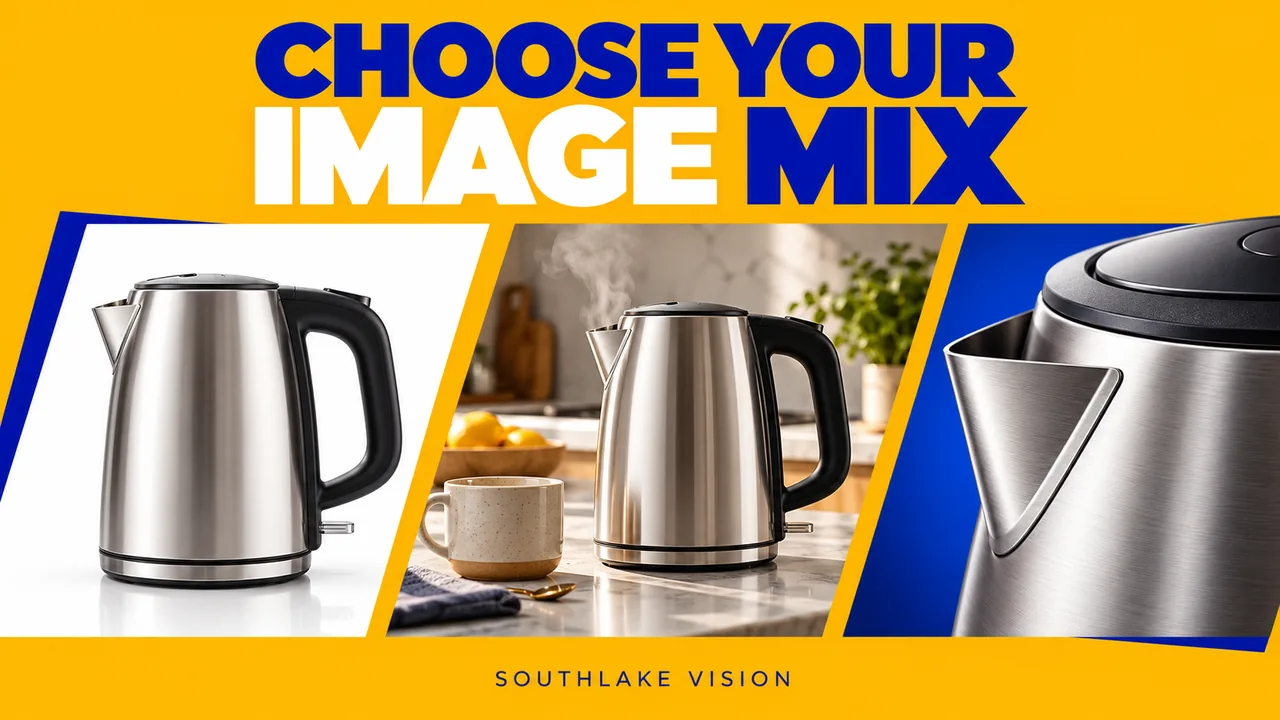
Original editorial cover illustration — Southlake Vision. Product imagery is illustrative.
Begin with a question for each image
Product photography services can include many different outputs, but a longer shot list does not automatically make a stronger catalogue. Start with the uncertainty a customer faces. They may need to identify the exact shape, understand the finish, compare sizes, see an included accessory, or judge whether the product suits their home. Assign one primary question to every planned image. When two frames answer precisely the same question, decide whether the second adds useful evidence or simply repeats an attractive angle.
Create a working list with five columns: product code, customer question, proposed image type, factual information required, and intended placement. For a kettle, the list might distinguish overall appearance from lid operation and handle clearance. This example is a planning exercise, not a required gallery formula. The appropriate mix depends on the product, selling channel and existing assets.
Use packshots to establish the exact product
A packshot gives customers a relatively neutral reference. It can show the front, side, rear or assembled configuration without asking the viewer to interpret a busy setting. Plan the camera angle around recognition: the important opening, silhouette or control should be visible. If a product looks very different with its lid attached, decide which state represents what the customer receives and photograph supplementary states separately.
Consistency matters across a catalogue. Agree how much space surrounds each item, whether shadows are retained, and how products of different sizes relate visually. Identical image dimensions do not guarantee identical apparent scale. A small cup enlarged to match a large jug may confuse comparison. Ask your product photography team to document the chosen rule and identify deliberate exceptions before batch capture.
Commission details that explain material or construction
Detail photographs work best when the detail matters to a purchase decision. A stitched seam, ceramic glaze, fastening mechanism or textured grip can justify a closer view. Merely zooming into a smooth panel rarely creates new information. Specify the exact feature, its location and the reason it deserves attention. Where scale is ambiguous, pair the close view with an overall photograph that makes the relationship clear.
At proofing, check that lighting describes the real surface. A highly reflective finish can look matte under broad illumination; an exaggerated highlight may suggest a coating that does not exist. Retouch dust and handling marks according to the agreed scope while preserving intentional grain, embossing and manufacturing details. If a sample has a genuine defect, resolve whether another sample is needed rather than silently transforming the product.
Choose lifestyle scenes with a practical purpose
Lifestyle photography places the product in an understandable use context. It can explain where something belongs, how it is held or how multiple components interact. A room scene should contribute information beyond decoration. For example, a bedside organiser photographed with a book and charging cable may communicate placement and access more clearly than an unrelated collection of fashionable props.
Define which objects are included in the sale and which are styling accessories. Keep the actual product prominent through framing, contrast and placement. A rich scene can support a campaign, while a simpler composition may work better in a compact product gallery. Review relevant lifestyle photography services alongside your product page layout, then decide whether one setting can support both an overall image and a useful close view.
Separate photographed evidence from designed explanation
An infographic is a designed communication asset built around photographs, diagrams and approved text. It is not simply another camera angle. Dimension references, comparison panels and annotated features require accurate information from the brand. Provide measurements, product names and supported claims before design begins. The designer should not infer capacity, compatibility or performance from the sample alone.
Specify which versions need editable files, which require final exports, and whether translations or platform adaptations are included. A photo library can feed several graphics, but that reuse still involves layout work. For marketplace galleries, discuss listing image and A+ design separately from the underlying photography. This makes it easier to compare proposals and understand whether a price covers capture, design, copy preparation or all three.
Allocate effort according to product uncertainty
A familiar, simple item may need relatively few explanatory images, while an unfamiliar mechanism needs a more deliberate sequence. Allocate effort by the difficulty of understanding the product rather than by its selling price alone. A compact product with several hidden components can require more preparation than a larger object with an immediately recognisable purpose. Identify the questions that photographs can genuinely resolve.
For a hypothetical first launch, you might prioritise an accurate overview, two important construction details and one credible use scene before commissioning elaborate seasonal styling. Another product may need assembly or movement shown through video. Avoid stretching still photography to explain actions that are clearer in motion. Record optional additions separately so an essential gallery remains deliverable if the budget or schedule becomes tighter.
Plan reuse before approving the framing
Catalogue images often appear in cards, product pages, presentations and advertising. Those placements may crop the same source differently. Share real layout examples before the shoot and identify whether text will sit beside or over the image. A tightly framed hero can be excellent for one placement but impossible to reuse in a wide banner without losing an important component.
Ask for an agreed export matrix instead of an undefined promise of images for every platform. List the dimensions, file formats, crop variants and naming scheme needed at handover. Retaining a larger clean master can help future adaptation, but editable design files and unprocessed camera files are separate deliverables. Make those boundaries explicit, together with the person responsible for uploading and checking images in the actual storefront.
Approve a balanced library rather than isolated favourites
Review the proposed gallery as a sequence. Can a new customer identify the product, inspect important features, understand scale and imagine appropriate use? Then review each frame for accuracy. A beautiful lifestyle image cannot compensate for a missing included accessory, and a technically clean packshot may still leave the product's main function unclear. Consolidate feedback by the question each image must answer.
At Southlake Vision, photography can be coordinated with design, video and other production services. A useful starting enquiry includes a product link, sample status, sales channels and the existing image gaps. The production process can then be scoped around what needs to be photographed, what can be reused, and what requires additional explanation. That produces a more practical catalogue than ordering an arbitrary number of pictures.
Frequently asked questions
Do all products need lifestyle photography?
No. Use lifestyle scenes when context clarifies placement, scale or use. A simple replacement part may benefit more from accurate angles, dimensions and compatibility information. Choose the image type according to the uncertainty it resolves.
Can one photograph be used in several graphics?
Often, provided the original framing and resolution suit the layouts. Ask the studio to anticipate the planned crops. Each graphic still needs its own information hierarchy, approved copy and proofing, so design adaptations should be included in the scope.
What should I send when requesting a proposal?
Send product codes, quantities, sample photographs, sales channels and existing assets. Explain which customer questions remain unanswered. Include planned image placements and any approved measurements or claims that will appear in designed content.